
A considered starting point
Featured Tools
Security & Privacy
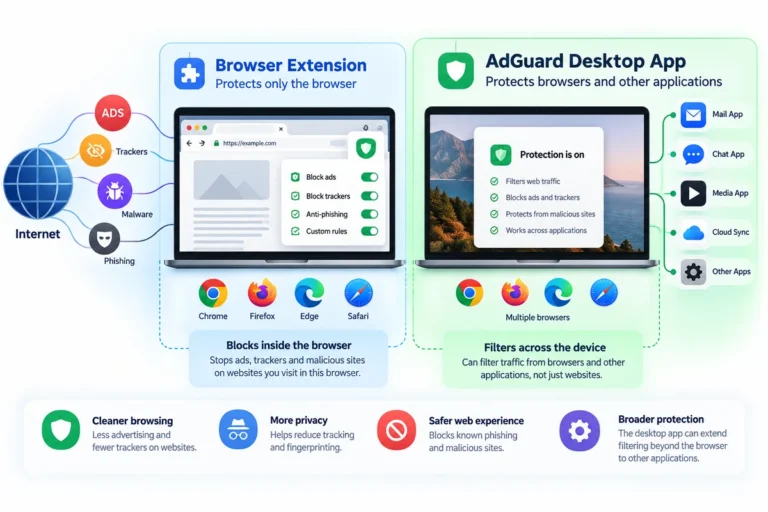
AdGuard
Ad blocking and privacy filtering that can stay inside one browser or extend across a desktop device.

Security & Privacy
Keeper
A password manager built around secure sharing, controlled access and team credential management.

Security & Privacy
Proton Pass
A password manager that combines logins, passkeys and hide-my-email aliases in one privacy-focused workflow.
Recommended category
Hosting & WebOps

Hosting & WebOps
is*hosting
VPS hosting for projects that need more control over server resources, location and software than shared hosting allows.
Recommended category
Productivity
Productivity
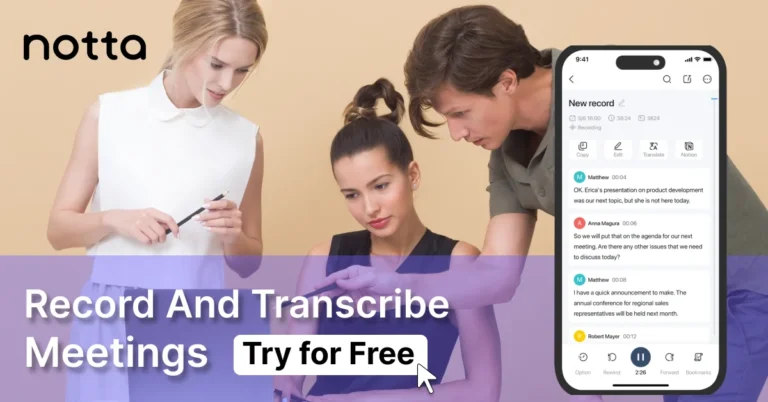
Notta AI
A transcription and meeting-notes tool for turning spoken conversations into searchable text and follow-up material.
Recommended category
Security & Privacy
Security & Privacy
AdGuard
Ad blocking and privacy filtering that can stay inside one browser or extend across a desktop device.
Security & Privacy
Keeper
A password manager built around secure sharing, controlled access and team credential management.
Security & Privacy
Proton Pass
A password manager that combines logins, passkeys and hide-my-email aliases in one privacy-focused workflow.
Choosing well
A quick way to narrow the list
Start with the problem, not the product category. Several tools on this page overlap somewhere, but they make sense for different jobs.
Name the problem
What is actually getting in the way right now? Shared passwords, distracting ads, server control and meeting notes lead to very different tools.
Check the scope
One browser, one device, a small team and an entire website stack need different levels of control. Paying for more scope only helps if you need it.
See if free is enough
If the free version already solves the problem, keep it. Upgrade when a real limitation appears, not because a paid plan has a longer feature list.
Count the friction
A useful tool should remove work from the week. If it adds another complicated workflow, the extra features may not be worth much.
By use case
Start with what you're trying to get done
Sometimes the category matters less than the job in front of you.
Protect logins and shared access
For a privacy-focused password manager with aliases and sharing, start with Proton Pass. If controlled access, shared records and business administration matter more, look at Keeper.
Block ads and trackers beyond one tab
AdGuard makes more sense when browser-only blocking stops being enough and you want filtering across a wider device environment. AdGuard
Run a site with more server control
If shared hosting has become restrictive and you are ready to manage more of the server layer yourself, the is*hosting profile is the relevant place to start.
Turn conversations into usable notes
Notta AI is the option here for transcription workflows where meetings, recordings or spoken material need to become searchable text.
Independent editorial context
Guides & Comparisons
Editorial guide
AdGuard Browser Extension vs Desktop App: What Actually Changes Beyond the Browser?
The free AdGuard extension may be enough if your problem lives inside one browser. Here is what changes when filtering moves to the desktop app, where broader device…
Read the guideEditorial guide
Keeper for Freelancers and Small Teams
Keeper stands out when password management becomes an access problem. Here is how One-Time Share, shared records and business controls fit freelancer and small-team workflows.
Read the guideEditorial guide
Proton Pass for Freelancers and Small Teams: Privacy, Sharing and Pricing
Proton Pass combines a password manager with email aliases, passkeys and secure sharing. Here is where that combination makes sense, where the free plan is already enough, and…
Read the guide
Editorial guide
How to Get a Second Phone Number for Work Without Carrying Two Phones
When a virtual second phone number helps freelancers and small teams separate work calls and SMS from personal mobile service.
Read the guide
Editorial guide
How to Edit Talking-Head Videos Faster on Desktop: A Practical Workflow
A practical desktop editing workflow for talking-head videos, tutorials and client projects, from rough cuts and B-roll to captions, audio cleanup and export.
Read the guide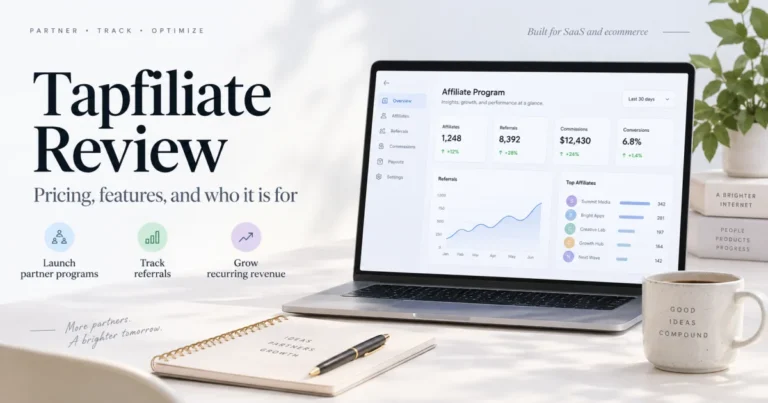
Editorial guide
Tapfiliate Review: Pricing, Features and Who It Is For
A practical Tapfiliate review for SaaS and ecommerce teams covering tracking, commissions, integrations, partner management, pricing, and operational fit.
Read the guide
Editorial guide
InVideo AI Review: Pricing, Features and Who It Is For
A practical review of InVideo AI for creators and small teams, including its workflow, credit-based pricing, useful features, limitations, and best-fit use cases.
Read the guide
Editorial guide
Password Manager vs Browser Storage: When NordPass Makes Sense
Browser password storage is convenient until your accounts spread across devices, browsers, and other people. This guide explains when a dedicated manager such as NordPass becomes useful.
Read the guideEditorial guide
When Is a VPS Worth It? Shared Hosting vs VPS and is*hosting Plans
A practical guide to deciding when a VPS is justified versus shared or managed hosting, how to size CPU/RAM/storage, and how to read is*hosting plan pages without treating…
Read the guideEditorial guide
Notta AI Guide: Pricing, Features and Use Cases
Editorial guide to Notta for call notes and transcription: Free plan limits, dated pricing snapshot, comparisons, and when a separate tool is worth it.
Read the guideEditorial standard
How I choose recommendations
Workflow fit
A tool needs a clear job here. A long feature list is not enough.
Clear limits
If the free version is enough, or another setup makes more sense, I say that.
No fake scores
There are no invented 9.8/10 ratings or "best overall" badges.
Transparent links
Some links are affiliate links. That relationship is disclosed on the page.
Good to know
Common questions
Are all recommendations here affiliate products?
Some recommendations use affiliate links. The affiliate relationship is not what decides whether a tool belongs here. The tool still needs a clear use case and a sensible place in the catalog.
Does an affiliate link change the price?
The link sends you to the provider, and the provider controls the final price. Senatove does not add a markup to the product or plan.
Have you personally tested every tool?
No. I do not present documented research as personal testing. When a guide is based on published product information and workflow fit, it is written that way.
Why do some tools have a guide and others do not?
A guide exists when there is a useful question worth answering. A tool can still belong in Recommended without forcing a separate review article around it.