Quick take: Notta is useful when conversations regularly need to become searchable records, concise notes, or assigned follow-ups. It can capture live meetings, transcribe uploaded recordings, and help turn the result into a summary. It is less compelling when your meeting platform already produces transcripts people actually use, or when policy does not allow a third-party recording service.
Why this is in Recommended Tools
A transcript is most useful when it reduces the work after a conversation. That may mean finding the exact wording of a decision, checking what a client requested, preparing interview notes, or sending action items while the discussion is still fresh. Notta belongs in this category because it combines capture, transcription, summaries, search, and export in one workflow.
The extra software is justified only if the record gets reviewed and reused. A growing archive of unread transcripts is not a productivity system.
What Notta is
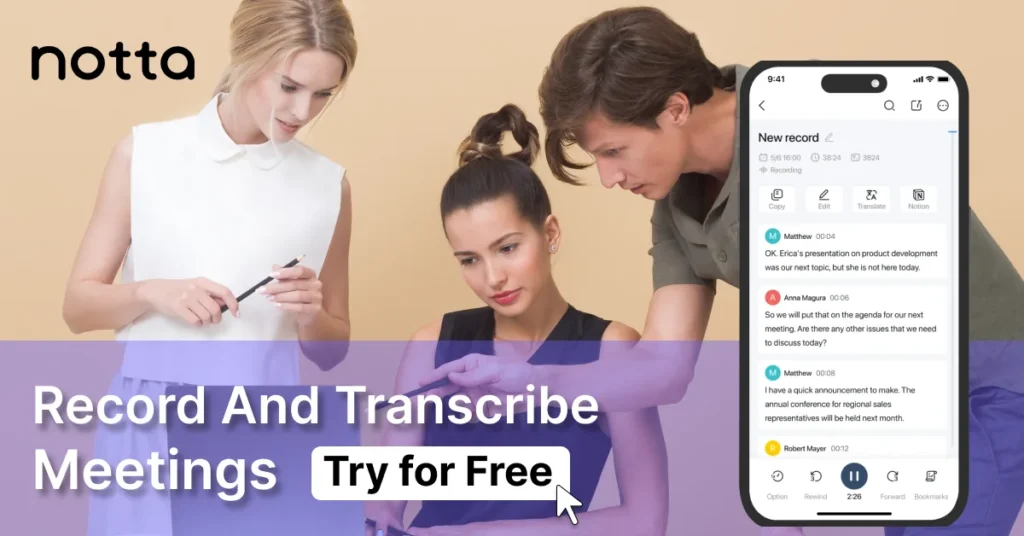
Notta is transcription and meeting-notes software. It can join supported online meetings through a bot, capture audio without a bot through its desktop app, or work from uploaded audio, video, and supported links. The output can include a searchable transcript, speaker labels, an AI-generated summary, and extracted action items.
Notta offers web, mobile, Chrome, and desktop access. Its official integrations page lists meeting, calendar, storage, CRM, and workspace connections. Availability varies by plan, so check the current integration list before choosing the product around one specific system.
Where it fits in real work
Recurring meetings
Keep a searchable record of decisions, objections, deadlines, and commitments across client calls or team check-ins.
Interviews and research
Work from the recorded answer instead of hurried notes, then verify quotations and themes against the transcript.
Notes and follow-ups
Use the summary as a first draft, then confirm decisions, owners, dates, and open questions before sharing it.
Mixed meeting tools
A separate transcription workspace can make sense when recordings arrive from several platforms rather than one meeting suite.
A practical transcript-to-action workflow
The summary should shorten the review, not replace it. If you need a repeatable method, use this workflow to turn a meeting transcript into clear action items.
Who Notta is for, and who can skip it
A sensible fit
- You handle several recorded conversations each week.
- People need to search or share what was said later.
- Your current transcript is missing, scattered, or difficult to export.
- You can define consent, access, and retention rules.
Probably unnecessary
- Meetings are rare and short notes are enough.
- Your existing meeting suite already produces usable records.
- No one owns the review and follow-up step.
- Client or workplace policy blocks external recording tools.
Pricing snapshot
Checked September 18, 2026 against Notta’s public pricing page. Prices below use annual billing where stated. Limits and plan contents can change, so confirm them before buying.
Free
$0
1 seat · 120 minutes/month · up to 3 minutes per conversation
Pro
$8.17 / month
annual billing · 1 seat · 1,800 minutes/month · up to 5 hours per recording
Business
$16.67 / user / month
annual billing · unlimited transcription · team and administration features
Enterprise
Custom
starts at 51 seats · SAML SSO, audit logs, and customized terms
How to read the plans: Free is suitable for testing the interface with short clips. Pro is the practical individual tier for full meetings and exports. Business adds team administration, integrations, and higher operational capacity. Enterprise is aimed at larger organizations that need centralized identity and governance controls.
What the Free 3-minute cap means day to day
The Free plan limits each conversation to three minutes of transcription. The 120-minute monthly allowance does not remove that ceiling. It is enough to inspect the workflow with short samples, but not to judge how Notta handles an ordinary 30-minute meeting from capture through follow-up.
Notta alternatives: compare the workflow, not the logo
Start with five questions: how audio is captured, which languages matter, where notes must end up, who needs administrative control, and what happens to recordings afterward. Price matters only after those requirements are clear.
Limitations and operational reality
Recording is a policy decision. Tell participants what is being captured, obtain any consent required by law or contract, restrict access, and decide how long recordings and transcripts should remain available. A convenient meeting bot does not answer those questions for you.
- Transcripts need review. Crosstalk, weak microphones, names, numbers, and specialist vocabulary can alter the meaning of a sentence.
- Summaries are drafts. A polished paragraph may omit a constraint or turn an open question into a decision.
- Speaker labels are not authority. Confirm who accepted an action before assigning it in a project system.
- Integrations create another data path. Check permissions, retention, exports, and deletion across every connected service.
- Adoption matters more than capture. If nobody checks the notes or moves tasks into the real workflow, more transcription minutes add little value.
When Notta is the rational next step
Choose it when recorded conversations are frequent, the missing record causes real rework, and one person can own the route from recording to reviewed follow-up. Before paying, test it with a representative meeting rather than a clean sample: use the accents, vocabulary, background noise, and meeting platform you encounter in normal work.
Keep the built-in transcript if it already produces a usable record in the system your team opens every day. The better tool is the one that shortens the path from conversation to verified action without creating an unmanaged second archive.
Sources and verification
- Official Notta pricing and plan limits
- Official Notta web app and feature overview
- Official Notta integrations
- Official Notta security information
Product information and pricing checked September 18, 2026.
This guide is based on public documentation. It does not claim that Senatove personally tested every feature, plan, integration, accent, or recording environment.
FAQ
Is this based on personal product testing by Senatove?
No. This page is an editorial guide based on public documentation. It is not a statement that Senatove personally performed hands-on testing of every feature, plan, or integration.
Does Senatove earn money from Notta links?
If you follow a partner link on this page and later purchase, Senatove may earn a commission. The price you pay is set by the merchant, not by Senatove.
Where should I check current pricing?
On the official Notta pricing page. Figures in this guide were checked September 14, 2026 and may change.
Can I use Notta for confidential meetings?
Do not upload a confidential recording until you have checked your organisation’s policy, participant-consent requirements and Notta’s current data-handling terms.
How is this different from Senatove’s own products?
Senatove’s shop and digital products are separate. Recommended Tools guides cover third-party software and may use affiliate links. They are not WooCommerce products sold by Senatove.