
A contractor needs a password for two hours. What happens tomorrow?
Keeper for Freelancers and Small Teams
The fastest way to share a login is still the worst habit: paste it into chat, send it by email,
then hope somebody remembers to clean it up. That works until the same password is sitting in three
inboxes, two project channels and an old contractor’s history.
Keeper is interesting because it gives you two different access paths instead of treating every
handoff the same. One-Time Share is built for temporary access outside your normal team. Shared
records and folders are for people who need ongoing access. That distinction matters more to a
freelancer or small agency than a long feature list.
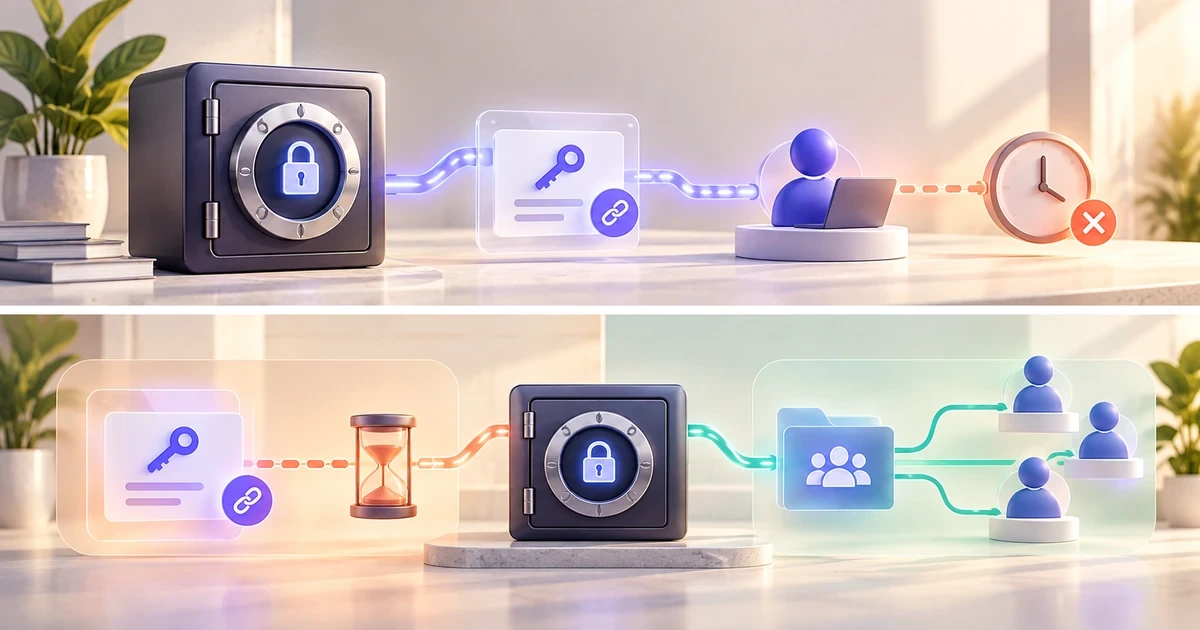
Three access moments, three different answers
Short task
A vendor needs one credential for a few hours. This is where time-limited sharing makes sense.
Recurring work
A teammate uses the same tools every week. Give them controlled ongoing access, not a forwarded password.
Offboarding
The project ends. Access should disappear from the workflow without searching through old messages.
The real problem is not storage. It is access lifecycle.
A password manager can be excellent at storing credentials and still leave a team with a bad handoff
process. Small teams run into this constantly because many services do not offer proper guest roles,
temporary users or granular permissions. Somebody still ends up needing the shared account.
Keeper does not magically fix the permissions of the service you are logging into. If a hosting panel,
analytics platform or SaaS tool lets you create a dedicated user with limited rights, use that first.
A separate account is easier to audit and revoke.
Shared credentials are the fallback, not the goal.
Use the application’s own user and role system whenever it exists. A password manager becomes valuable
when the application does not give you a cleaner option.
Temporary access and recurring access should not look the same
One-Time Share
Best for a client, contractor, vendor or other person who needs a record for a limited period but
does not belong in your Keeper workspace.
- No Keeper account required for the recipient
- Expiration is set by the sender
- The link becomes bound to the first device that opens it
- The sender can revoke access before expiry
Shared record or folder
Better for a teammate who needs repeat access. Keeper supports record and folder sharing with
permissions that can be changed or revoked as the working relationship changes.
- Designed for ongoing collaboration
- Records and folders stay inside the vault workflow
- Permissions can be adjusted later
- Useful for project, client or departmental groups
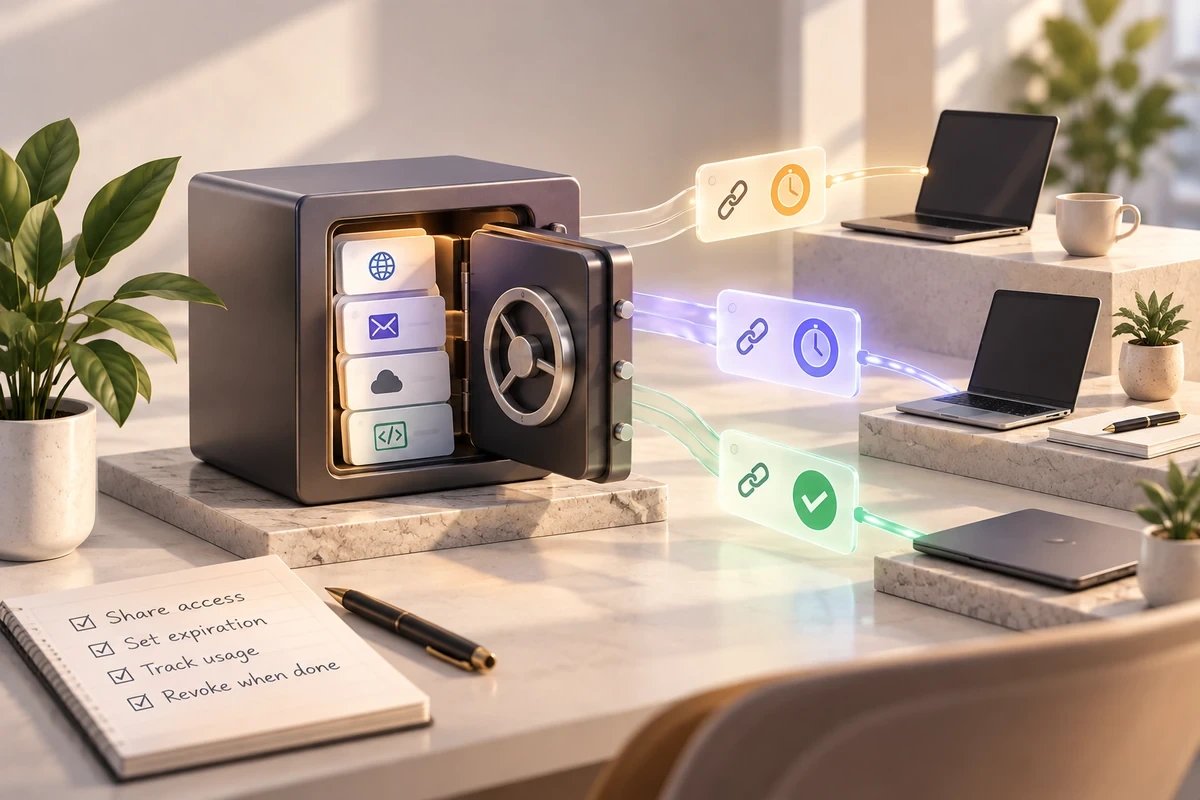
What One-Time Share actually changes
With One-Time Share, the recipient can open a time-limited record without creating a Keeper account.
Keeper says the link becomes device-bound after it is opened, so forwarding the same link to another
device does not create a second path into the record. The sender can set an expiration time and revoke
the share earlier.
That is useful because the delivery method stops being the permanent copy. You can still send the link
through the channel you already use, but the credential itself is not left behind as plain text in that
channel. Keeper also supports optional two-way sharing, where a recipient can edit fields or upload files
and those changes sync back to the original record while access is active.
Keeper’s One-Time Share documentation
explains the current expiration, device-bound and two-way sharing behavior.
Choose Keeper around the access problem you actually have
Compare the current plans before paying. A solo vault, a five-person team and a business that needs
delegated administration do not need the same setup.
Security without the marketing layer
What Keeper is doing
Keeper documents a zero-knowledge architecture in which vault data is encrypted and decrypted
locally on the user’s device. Its current security documentation describes 256-bit AES keys for
records and folders, with encrypted data synchronized through Keeper’s infrastructure.
What you still have to do
Use a strong master password, enable multifactor authentication, keep recovery paths under control,
remove former users and avoid sharing the owner credential when the service supports individual
accounts. Encryption does not replace access hygiene.
Keeper can also store and use passkeys, and its secure-sharing system supports passkey sharing between
Keeper users. Useful, but not the reason I would choose Keeper for a small team. The access model is the
more distinctive part.
Keeper’s security architecture
is the better source for the technical detail than a marketing comparison table.
Which Keeper tier changes the workflow?
I would not hard-code a price into this decision.
Plans and promotions move. The useful distinction is what each tier changes operationally, then you can
check the current price at the moment you are ready to buy.
A contractor handoff that does not end in password archaeology
-
Start with the service itself.
If it offers a guest, collaborator or limited user role, create that instead of sharing the main login. -
Keep the credential in the vault.
The password manager should remain the source of truth, not a spreadsheet or project chat. -
Choose temporary or recurring access.
Use One-Time Share for a short external task; use normal sharing for someone who belongs in the ongoing workflow. -
Set an end point before work starts.
Know when the share expires, when the user leaves the folder, or when the dedicated service account will be disabled. -
Close the loop.
Remove access at the end of the project and rotate a credential if it was exposed outside the intended controlled path.
This is also why the password manager should not be treated as the whole security process. It is one layer
in onboarding and offboarding. For a broader team workflow, see
how to share passwords securely with a team
.
Keeper or Proton Pass?
Choose the access workflow
Keeper is the more interesting option here if temporary external access, shared folders, team
administration and offboarding are the problems you keep running into.
Choose the privacy ecosystem
Proton Pass is easier to justify when email aliases, privacy-focused identity features and the wider
Proton ecosystem matter more than team access administration.
The products overlap, but the reason to shortlist them can be different. My
Proton Pass review
covers that side of the decision.
Where Keeper is a good fit, and where it is overkill
Keeper makes sense when credentials move between people often enough that access itself needs structure.
A freelancer coordinating specialists, an agency managing client logins, or a small team with recurring
joiners and leavers can all get value from separating temporary sharing from persistent access.
It is less compelling if you work alone, almost never share credentials and are satisfied with a simpler
personal password manager. The same applies if every service you use already has excellent role-based
accounts and you rarely need shared logins. In that case, Keeper’s collaboration tools may solve a problem
you do not actually have.
The question I would use before paying
How many passwords in your current workflow are shared because another person genuinely needs ongoing
access, and how many are shared only because it was the fastest way to get a short task done?
If that second group is large, Keeper’s One-Time Share is the feature worth examining first. If the first
group is large, shared folders and business administration matter more.