
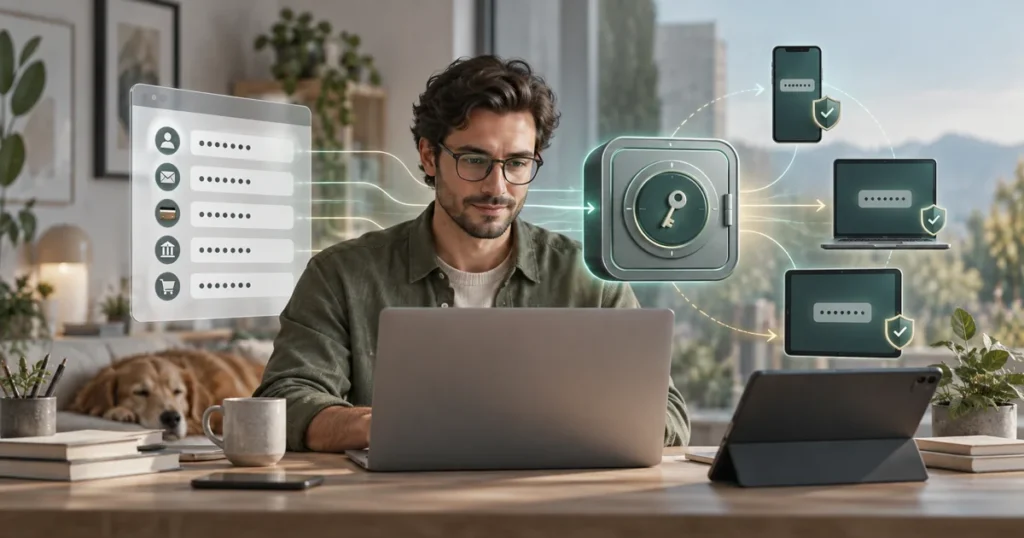
A saved password feels like a solved problem. You visit a site, the browser fills the login, and you move on.
That arrangement can work for years. Then a second browser enters the picture. A work laptop has different credentials from the personal one. A streaming account needs to be shared with someone. A phone replacement reveals that several important logins were stored in places you no longer remember.
The question is not whether a browser can save passwords. It can. The useful question is how far that system can stretch before managing it becomes harder than replacing it.
Quick take: Browser password storage is usually enough for one person who mainly uses a single browser ecosystem and does not need controlled sharing. A dedicated password manager becomes more useful when credentials must work across different browsers and devices, when accounts are shared, or when you want security tools collected in one place.
NordPass is one option in that second category. It stores credentials in an encrypted vault and provides apps and extensions for major desktop, mobile, and browser platforms. Its paid plans add capabilities that go beyond basic saving and autofill. Those additions only matter if they solve a problem you actually have.
What browser password storage already does well
The built-in manager in Chrome, Safari, Edge, or Firefox removes the worst everyday habit: typing the same easy password everywhere because it is convenient.
It can generate a strong password, save it, fill it later, and synchronize it through the browser account. For someone who uses one ecosystem, this is a sensible baseline. There is no extra application to install and no second vault to maintain.
The convenience is real.
Browser storage becomes less tidy when your setup stops matching the browser’s assumptions. Safari may hold personal accounts while Chrome has the client logins. The office machine might use Edge. Exporting and importing credentials is possible in many cases, but migration files need careful handling because an exported password file may be readable until it is securely removed.
A browser manager is not automatically the wrong choice. It is simply attached to a browser ecosystem, and that attachment becomes more visible as the number of devices, browsers, and people grows.
What changes with a dedicated password manager
A dedicated manager treats the vault as the center of the system. Browsers and devices connect to it rather than owning separate collections of credentials.
This distinction sounds small until you replace a laptop or begin using a mixture of Windows, macOS, Android, and iOS. The same vault can follow the account across supported apps and extensions. Moving between browsers does not require rebuilding the collection each time.
NordPass currently provides apps for Windows, macOS, Linux, iOS, and Android, plus extensions for Chrome, Firefox, Safari, Opera, and Edge. It also offers web vault access. Platform support can change, so the official download and features pages remain the final reference.
A dedicated vault introduces another responsibility. You need to protect the account, remember the recovery process, and understand what happens if access is lost. Consolidation is useful, but it raises the value of that single account.
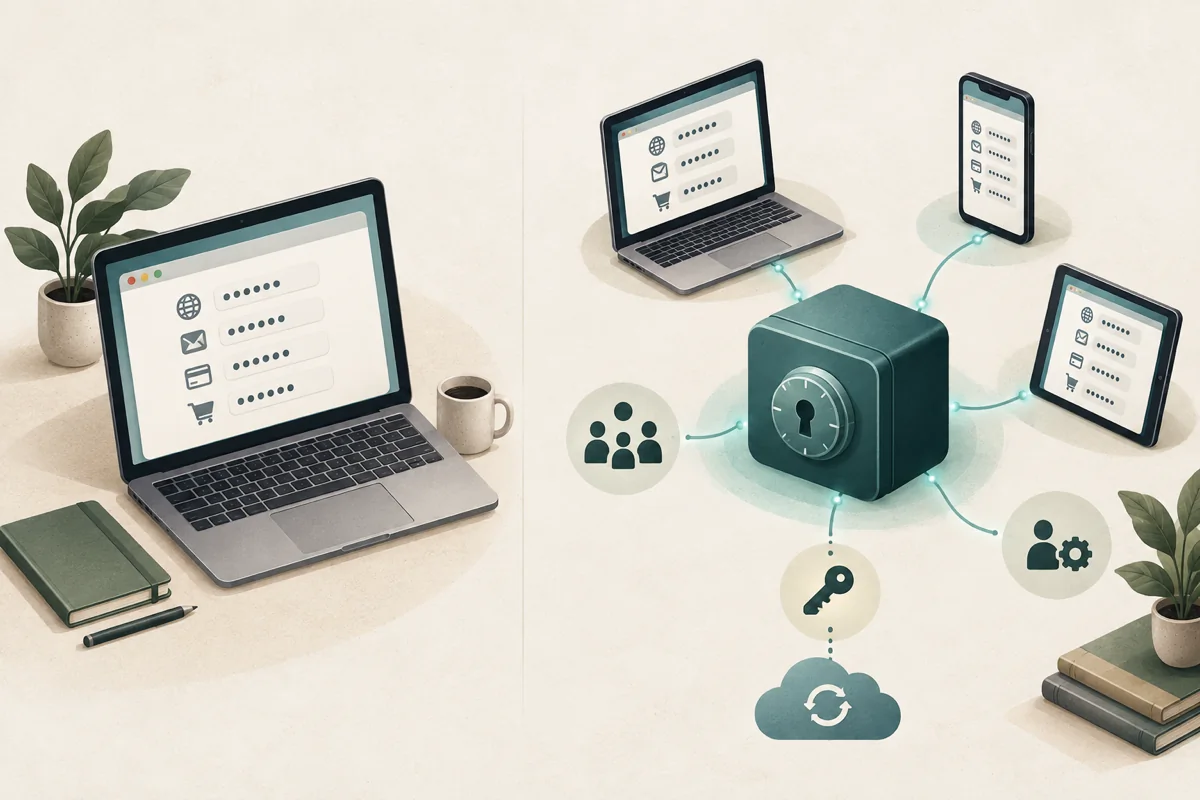
Browser storage and NordPass side by side
- Browser password storage
Best fit:
- You mainly use one browser ecosystem.
- Credentials belong to one person.
- Basic generation, saving, synchronization, and autofill cover the job.
- You prefer the smallest possible setup.
Possible friction:
- Passwords are divided between browsers or profiles.
- Moving to another ecosystem requires migration.
- Controlled sharing may be limited or awkward.
- Security and monitoring tools vary between browser providers.
- NordPass
Best fit:
- You use different browsers or operating systems.
- You want one vault available through apps and extensions.
- Credentials need to be shared without sending them in chat.
- You want plan-dependent tools such as Password Health, breach scanning, email masking, attachments, emergency access, or an authenticator.
Possible friction:
- It adds another account and application to maintain.
- Some features require a paid plan.
- Subscription and renewal prices can differ.
- Recovery planning still belongs to the user.
The security model in plain language
NordPass says vault data is encrypted locally before it is uploaded. Its published security documentation describes a zero-knowledge architecture, XChaCha20 encryption for vault data, and Argon2id for deriving a key from the master password.
Those are vendor claims supported by NordPass documentation, not the result of an independent Senatove test.
The practical part is less technical. A password manager cannot protect an unlocked device that someone else controls. It cannot make a weak master password strong. It cannot prevent a user from approving a convincing phishing prompt. The vault is one layer in the account-security setup.
A sensible configuration includes a unique master password, multifactor authentication where available, protected recovery information, current devices, and a screen lock that is not shared casually.
Do not store the only copy of recovery information inside the vault it is meant to recover.
Where NordPass plans differ
NordPass offers Free, Premium, and Family options for personal use. All three plans can store login credentials, addresses, payment-card details, and other sensitive information. Premium and Family add simultaneous access across multiple devices. Free limits active use to one session, even if the app is installed elsewhere.
The important differences concern simultaneous access and additional tools.
- Free
NordPass Free is intended for one active session on one device. The official comparison says users may install the software on multiple devices, but the free plan limits active use. - Premium
Premium allows simultaneous access on multiple devices and includes additional features. - Family
Family provides Premium benefits through six separate accounts.
The paid feature list currently includes items such as Password Health, Data Breach Scanner, secure sharing, email masking, file attachments, emergency access, and an authenticator. Feature availability has changed before and may change again.
Prices should be checked on the official site on the day of purchase. Introductory pricing and renewal pricing may not match, and displayed amounts may exclude tax.
Checked against official NordPass documentation: September 16, 2026.
When the upgrade starts to make sense
The clearest reason to move is usually fragmentation.
You have passwords in two browsers, a notes app, an old phone, and several message threads. Nobody planned that system. It accumulated.
A dedicated manager is useful when it replaces that collection with one maintained vault. Cross-platform access matters more than a long feature list if you regularly move between devices. Secure sharing matters if another person needs access to a household or work account. Breach and password-health tools matter if you will actually review their warnings and change exposed or reused credentials.
Paying for features that remain unopened does not improve security.
For a single user with one browser and no sharing needs, the built-in option may still be enough. The decision changes when the inconvenience of staying put is greater than the work of migrating.
A careful migration is better than a fast one
Do not begin by deleting the browser’s saved passwords. If you are changing browser ecosystems, use a careful process to move passwords between browsers safely before removing the old collection.
First, create the new vault and protect the account. Import a small batch if the available tools allow it. Verify several ordinary logins and at least one important account. Check that autofill behaves correctly on both desktop and mobile.
Then work through the difficult entries:
- accounts with outdated email addresses;
- duplicate records;
- logins that use social sign-in;
- passkeys;
- payment information;
- accounts shared with another person;
- recovery codes and backup methods.
Change reused passwords gradually. Start with email, financial accounts, domain registrars, hosting, cloud storage, and the accounts that can reset everything else.
Keep any exported password file only as long as required for the transfer. Confirm that the import succeeded, then remove the file securely from the device and any synchronized folder where it may have been copied.
Who can stay with the browser
Stay with the browser manager if it already gives you a clean, understandable system.
There is little value in adding a second tool just to imitate what the first one already does. A dedicated manager earns its place when it reduces fragmentation, improves sharing, or adds controls you will use.
The awkward case is a household where one person wants a shared vault and everyone else keeps saving passwords wherever the browser suggests. Buying a Family plan does not fix adoption. Someone still has to help with setup, imports, recovery, and the first few confusing autofill prompts.
That work is easy to underestimate.
When NordPass is the rational next step
NordPass deserves consideration when your accounts have outgrown one browser, especially if you use several operating systems or need controlled sharing.
Before purchasing, check three things on the official site:
- Whether the current plan includes the features you need.
- What the subscription will cost at renewal.
- How account recovery works for your chosen setup.
If the Free plan covers the immediate problem, begin there. A week of normal use will reveal more than a feature table about whether the workflow fits.
Sources and verification
- Official NordPass security documentation
- Official NordPass plans and feature comparison
- NordPass Help Center: Premium vs Free version
- NordPass Help Center: How to change a NordPass plan
- Official NordPass apps and browser-extension list
Product information and plan differences were checked September 16, 2026. Features, prices, taxes, promotions, and renewal terms can change. Confirm the current terms on the official NordPass website before purchasing.
This page is an editorial guide based on public product documentation. It is not a claim that Senatove personally tested every feature, platform, import path, or recovery scenario.
FAQ
Is NordPass better than saving passwords in a browser?
It depends on the setup. Browser storage may be enough for one person using one browser ecosystem. NordPass becomes more useful when passwords must work across different browsers and devices, when credentials need controlled sharing, or when you want additional security tools in one vault.
Can I use NordPass for free?
NordPass offers a Free plan. According to its current documentation, the software can be installed on multiple devices, but the Free plan limits active use to one device session. Check the official comparison because plan limits and included features can change.
Does a password manager remove every security risk?
No. A password manager can generate and store unique credentials, but it cannot protect an unlocked compromised device or prevent every phishing mistake. The account still needs a strong master password, appropriate multifactor authentication, protected recovery information, and secure devices.
Did Senatove personally test NordPass?
No. This guide is based on public NordPass product, security, pricing, and support documentation. It explains practical use cases and tradeoffs without claiming a hands-on product test.
Does Senatove earn money from NordPass links?
Yes. The NordPass buttons on this page are affiliate links. If you make an eligible purchase after following one, Senatove may earn a commission at no additional cost to you. NordPass sets the price, renewal terms, and purchase conditions.