

Until the follow-up exists, nobody has a shared next step. A transcript records what was said. It does not, by itself, tell anyone what to do next. This guide shows how to turn meeting transcripts into action items you can assign, schedule, and check later—without treating a raw dump of speech as a plan. Cut the noise, name owners, and leave a note other people can use without rewatching the call.
Quick answer: Sort the transcript into six buckets before you write anything else: decisions, action items, owners, deadlines or triggers, open questions, and a short follow-up. Then move the actions into the system where work actually gets tracked.
Why a transcript is not the result
A transcript is evidence of a conversation. It preserves phrasing, hesitation, and side paths that a tidy summary often erases. That is useful when you need to check what was actually agreed. It is not useful as the finished hand-off.
People talk in loops. They circle a decision, leave it, return with a new objection, then settle something quieter than the loudest voice in the room. A full transcript keeps those turns. A compressed summary often keeps only the ending sentence—and sometimes not even that.
An AI summary can sound complete while dropping the awkward constraint that mattered—budget caps, a blocked dependency, or a soft “not yet.” A paragraph that says “we should look into onboarding” is discussion. A line that says “Account lead will send the revised brief by Thursday” is an action item. Confusing those two is how follow-ups create false confidence.
Treat the transcript as source material. Treat decisions and owned tasks as the deliverable. If you only forward the automated summary, you are forwarding a draft interpretation. Someone still has to do the editorial work.
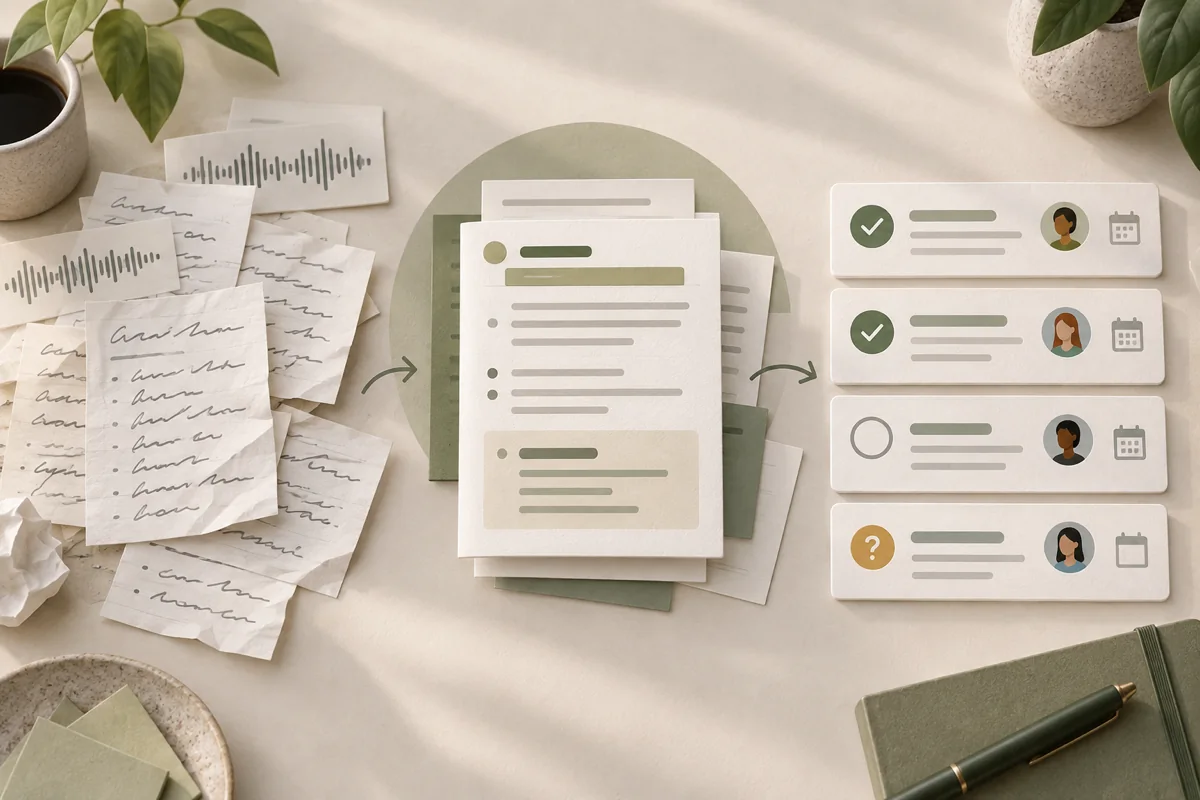
A practical workflow for meeting transcripts
Use the same sequence every time. The point is not ceremony. It is to stop editing and assigning in the same pass, which is when owners get invented and deadlines stay fuzzy.
A short stand-up transcript can be processed quickly. A messy client call with unresolved decisions will take longer. The order matters more than the tooling.
- Preserve the source transcript.
- Separate decisions from discussion.
- Extract concrete actions.
- Assign an owner.
- Add a deadline or trigger.
- Record unresolved questions.
- Send a concise follow-up.
- Update the actual task system.
Step 1: Preserve the source transcript
Save the original file before you rewrite anything. Keep timestamps if your tool provides them. Once you start trimming, it is easy to lose the sentence that later settles a dispute about who agreed to what.
Do not rely on chat search. Save the file where the project already keeps specifications and working documents: shared drive, ticket attachment, or a dated meeting folder. Give it a boring name that includes the date.
If you still need a clean recording-to-text source, use your existing meeting transcription and notes tools workflow, then store the export beside the project notes. Do not leave the only copy inside a thread that scrolls away by Friday.
Export or copy the transcript first, name it with the meeting date, and only then open a blank follow-up note. Archiving and editing are different jobs. Mixing them is how people overwrite the source while “cleaning it up.”
Step 2: Mark decisions, not vibes
Read once with a narrow question in mind: what changed as a result of this meeting? Mark lines that close a choice. Leave exploration alone for a second pass, or ignore it if it did not change direction.
Speech is full of polite almost-decisions. “We could try X” is not the same as “We are doing X.” “Let’s park that” is a decision to defer, not a decision on the substance. Write the deferral if it binds anyone’s calendar.
- Discussion
People explore options. No commitment yet. - Suggestion
Someone proposes a path. Others have not agreed. - Decision
The group settles on a direction or rejects one. - Unresolved question
A choice is still blocked on missing information.
You do not need four labels on every sentence. You need enough marks that a later reader can see which lines bind people and which lines were only thinking out loud. If two people disagree and the meeting ends without resolution, that disagreement is an open question—not a soft decision you can tidy away.
How to turn meeting transcripts into action items
Rewrite each action so it can survive outside the meeting. A useful formula:
Action + owner + deadline or trigger + relevant constraint
The action should name an output when possible: a draft, a booking, a merged change, a sent message. Verbs like “look into” and “handle” usually hide the output. Ask what someone will be able to point at when the item is done.
Weak lines feel familiar. Useful lines can be pasted into a tracker without a follow-up call to decode them.
Weak
Look into the pricing page.
Useful
Designer drafts three headline options for the pricing page by Wednesday; keep annual billing as the default.
Weak
We should sync with design.
Useful
Project manager books a 30-minute design review before Friday’s release freeze.
Weak
Fix onboarding somehow.
Useful
Developer removes the duplicate welcome email from the trial flow by end of day Tuesday, unless legal blocks the copy change.
Replace the roles and details with the ones from your own meeting. The constraint field is optional, but when a limit shaped the decision (budget, compliance, a freeze window), leaving it out invites the next person to undo the agreement by accident.
Step 4: Assign owners and deadlines
“The team” is not an owner. If two people are listed, ask which one will report status. Shared ownership often means nobody updates the ticket.
Owners should be people who can complete the work or escalate it. Assigning a stakeholder who only needs to be informed creates polite silence. If someone must approve rather than execute, write two lines: who prepares, who approves.
When a calendar date is impossible, write a trigger instead: “after the vendor sends the contract,” “before the next client call,” “once staging is green.” A trigger is weaker than a date, but it is stronger than silence. If even a trigger cannot be stated, the item is probably still a wish.
If nobody can name an owner in one sentence, the item is not ready for the follow-up. Park it under open questions or cut it.
Step 5: Keep open questions visible
Unresolved questions disappear inside polished summaries. That looks tidy and then costs another meeting to reconstruct what was still open. List them in their own block so the next meeting starts with what is still unknown, not with a re-litigation of settled points.
Open questions are normal when information is missing. List them so the next call starts there.
A question without an owner usually comes back in the next transcript. Pair each open question with who will chase the answer, even if the answer itself is not due yet, and note what information is still needed to decide. For example: “Need final vendor pricing before we choose a plan. Client reviewer follows up by Monday.”
Step 6: Write the follow-up
Send something short enough that people read it on a phone between meetings. The meeting follow-up template below is reusable. Fill only what the meeting produced. Empty sections can be omitted without apology.
Write for the person who missed the call. If they can act from the note alone, attendees can too. If they would need the full transcript to understand the next step, the note is still a transcript in disguise.
Meeting follow-up template
- Decisions — what was settled or explicitly rejected
- Action items — action, owner, deadline or trigger, constraint
- Open questions — what is still blocked, and who is chasing it
- Next checkpoint — when you will review progress
- Link to source transcript — path to the unedited record
Filled example
- Decisions — Keep annual billing as the default on the pricing page.
- Action items — Designer drafts three headline options by Wednesday.
- Open questions — Does legal need to review the trial-email copy before Tuesday? Owner: Project manager.
- Next checkpoint — Thursday standup.
- Link to source transcript — project folder / 2026-09-15-pricing-call.txt
Do not paste multi-page transcript excerpts into the follow-up. Link the source. Quote a sentence only when the exact wording is the decision. Chronology belongs in the transcript; commitments belong in the note.
Move actions into the real task system
Notes are for memory and alignment. Task managers and project boards are for status. If an action item only lives in a follow-up email, it will age quietly until someone asks “what happened to that?”
After you send the note, create or update the tickets. Copy the owner and deadline into the fields your team already trusts. Then check that each follow-up line has a matching card, issue, or checklist item. Mismatches are normal on the first try—fix them while the meeting is still fresh.
Some teams keep a lightweight checklist inside the doc and never open the board. That works until volume rises or people change. When more than one person depends on the outcome, the board is the safer system of record.
Common mistakes when extracting action items from meeting notes
Most failures are editorial, not technical. The transcript can be fine and the follow-up still useless.
- Trusting the AI summary without checking the transcript. Skim the source for constraints, disagreements, and names attached to verbs.
- Copying entire paragraphs into the follow-up. Readers ignore walls of speech. Convert speech into owned lines.
- Vague verbs (“look into,” “handle,” “sync,” “finalize somehow”) without a visible output.
- Missing owners, or listing a group as if it can reply to a reminder.
- Missing deadlines or triggers, so urgency only exists in someone’s memory.
- Hiding disagreements. If the room did not agree, write that down. A false decision is worse than an open question.
- Creating tasks in the note and never transferring them into the working system.
- Retaining confidential recordings or transcripts without checking policy, consent, and retention rules for your organization and clients.
Final checklist before you send the follow-up
Use this as a gate, not as decoration. If an item fails a line below, fix the note before you hit send.
- Source transcript is saved and linked.
- Decisions are separated from discussion.
- Each action has one owner.
- Each action has a deadline or explicit trigger.
- Open questions are listed, not buried.
- Follow-up is short enough to read once.
- Matching tasks exist in the live tracker.
- Recording and transcript retention rules were considered.
Send the note only after the checklist passes and the corresponding tasks exist in the system your team actually uses.