
AdGuard Browser Extension vs Desktop App: What Actually Changes Beyond the Browser?
If all you want is cleaner browsing in Chrome, Firefox, Edge or another supported browser, paying for a full AdGuard app may be unnecessary. The free browser extension already blocks ads and trackers, adds phishing protection, and gives you useful control over what loads on websites.
The reason to move beyond the extension is not simply “better ad blocking.” The real difference is where filtering happens. A browser extension works inside the browser that runs it. A standalone AdGuard app can operate at a wider level and cover traffic from multiple browsers and other applications on the device.
That distinction sounds small until you use more than one browser, have desktop apps making their own network requests, or want protection that is not tied to a browser extension.
Stay with the free extension if your problem is mostly ads and tracking on websites in one browser. Consider the full app when you want filtering beyond that browser, stronger system-level controls, or protection across several apps and browsers.
The real difference is where filtering happens
A browser extension lives inside the browser. That makes it lightweight and convenient, but it also means it has to work within the browser’s technical rules and extension APIs.
The standalone AdGuard apps for Windows and macOS work at a broader level. They can filter traffic from browsers as well as other applications, instead of waiting for each browser to handle filtering through an extension.
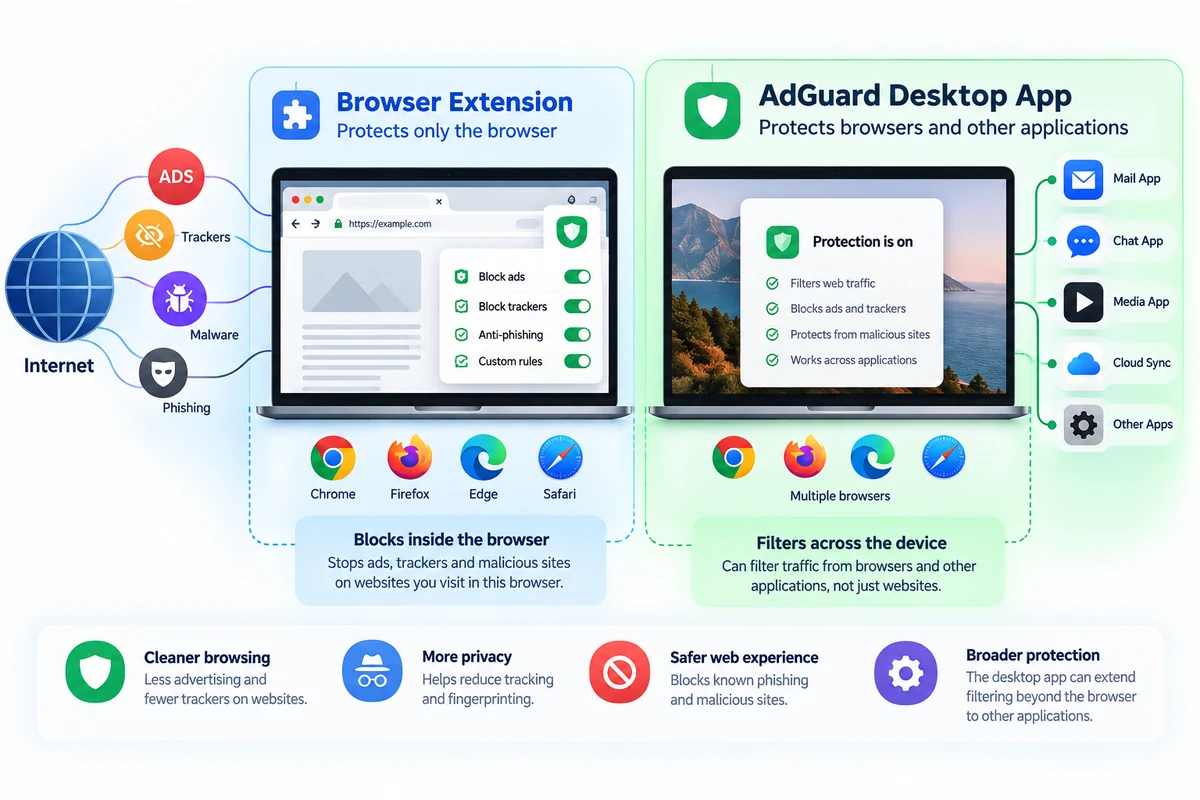
Browser Extension
Best boundary: the browser where it is installed.
- Free to use
- Blocks ads on websites
- Blocks many third-party trackers
- Includes phishing and malicious-site protection
- Supports filtering rules and element blocking
- Easy to install and remove
Standalone App
Best boundary: the wider device environment.
- Filters across multiple browsers
- Can filter traffic from other applications
- Is not limited in the same way by browser extension APIs
- Adds broader filtering and privacy controls
- Makes more sense when protection needs to extend beyond web pages
What the free AdGuard extension already does well
The extension is not a cut-down demo whose only purpose is to push you toward a subscription. For ordinary browser use, it already covers the reason many people install an ad blocker in the first place.
It can block common website advertising, pop-ups, banners and tracking requests. It also provides filtering controls, user rules and protection against known phishing or malicious destinations.
If you spend most of your time in a single browser and your main complaint is advertising on websites, that may be enough. Installing a full desktop application solely because a paid option exists adds complexity without necessarily solving a new problem.
This is especially true on a simple setup such as a personal laptop where nearly all web activity stays inside one browser.
You probably do not need the paid app if:
- You mainly want to remove ads from websites.
- You use one primary browser.
- The extension already catches the trackers that concern you.
- You do not need filtering inside desktop applications.
- You are happy with the browser’s extension model and its limitations.
What changes when AdGuard moves outside the browser
The desktop app becomes more useful when the browser is no longer the whole environment you want to protect.
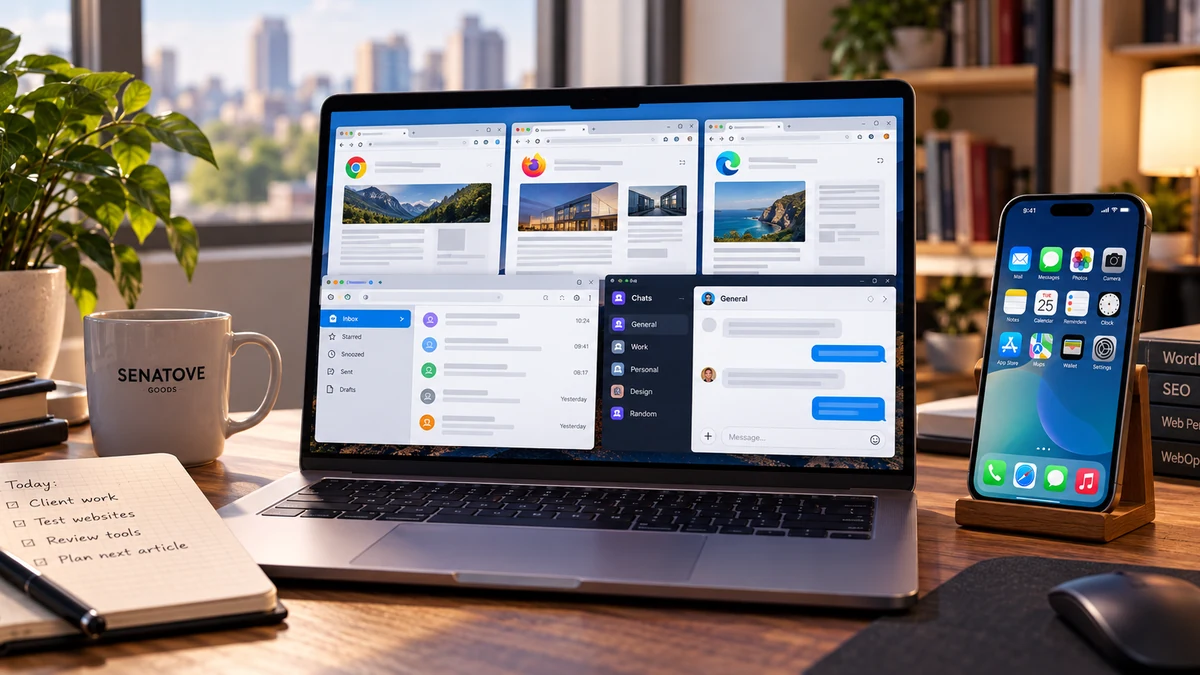
Imagine a laptop with Chrome for everyday work, Firefox for testing websites, a mail client, messaging software and several utilities that connect directly to the internet. A browser extension installed in Chrome does not suddenly become a network filter for everything else.
A standalone application has a wider view of that traffic. AdGuard’s own comparison documentation describes its desktop programs as capable of filtering traffic from browsers and applications, while the extension remains limited to its browser context.
The desktop application also avoids some limitations imposed by browser extension platforms. That does not mean every advertisement in every application is guaranteed to disappear. Applications, encrypted connections and operating systems can impose their own restrictions. It does mean the filtering layer has more room to operate than an extension installed in one browser.
Do not simply run the extension and desktop app together
This is an easy mistake to make. Installing more blockers does not automatically create better protection.
AdGuard warns that its regular Browser Extension can interfere with the standalone desktop application and may cause incorrect filtering on some sites.
If AdGuard for Windows or AdGuard for Mac is already installed, the intended companion is AdGuard Browser Assistant. Browser Assistant lets you control the desktop filtering from the browser, but it is not a second independent ad blocker competing with the application underneath it.
Read AdGuard’s official extension and standalone-app documentation
Three setups make the choice much clearer
One browser, normal web use
You use Chrome or Firefox for almost everything. You want cleaner pages, fewer trackers and less annoying advertising.
Start with the extension. There is little reason to pay before you discover a limitation that actually affects you.
Several browsers every day
You switch between Chrome, Firefox and another browser for work, testing or separate profiles.
The desktop app becomes more attractive. One broader filtering layer is easier to manage than treating each browser as a separate island.
Browser plus connected apps
You want filtering and privacy controls to extend beyond websites into software that makes its own network connections.
This is the clearest reason to consider the full app. The extension was never designed to control the whole device.
Mobile changes the meaning of “system-wide”
Windows and macOS make the extension-versus-app distinction relatively easy to understand. Mobile operating systems need more context.
iPhone and iPad
Apple places tighter limits on filtering outside Safari. AdGuard can extend protection beyond Safari through DNS filtering, but DNS-level blocking is different from inspecting and modifying every page or application request in the same way a desktop filtering engine can.
Inside Safari, AdGuard can use the filtering mechanisms provided by iOS and Safari, including its Advanced Protection features on supported versions of iOS.
Android
AdGuard for Android can work across the device and offers much broader control than a normal browser extension. HTTPS filtering still has technical boundaries. Some applications trust only system certificates or otherwise make traffic harder to inspect.
So “device-wide” should be read as a much broader filtering layer, not a promise that every ad inside every application can always be removed.
When paying for AdGuard makes sense
The strongest reason to pay is not that the free product is deliberately weak. It is that your filtering requirement has become wider than a browser extension can reasonably cover.
Personal or Family: choose by devices, not features you may never use
AdGuard currently separates its paid licenses mainly by the number of devices they cover. A Personal license covers up to 3 devices, while Family covers up to 9 devices. The licenses are designed to work across supported Windows, macOS, Android and iOS devices.
That makes the calculation fairly practical. Count the devices that genuinely need the standalone product instead of assuming every phone, tablet and computer in the household needs a paid installation.
Pricing can change, so it is more useful to check the current offer at the time of purchase than to base the decision on a number quoted in an older review.
So, should you upgrade from the free extension?
Stay with the extension
Your problem lives almost entirely inside one browser and the free extension already solves it.
Use the standalone app
You want protection across browsers and other applications, or browser-level restrictions have become a real limitation.
Do not upgrade yet
You are interested in the paid product but cannot point to anything outside your browser that actually needs it. Keep the free extension until that changes.
The free extension and the standalone AdGuard app are not simply two price tiers of the same browser tool. They operate at different layers.
For straightforward web browsing, the extension is a sensible place to stop. The paid application becomes easier to justify once the requirement expands to several browsers, desktop applications or broader device-level filtering.
If privacy tools are part of a wider setup rather than a single ad-blocking decision, the same distinction is useful elsewhere too. For example, the Proton Pass guide looks at a different part of that stack: credentials, aliases and controlled sharing rather than network filtering.
For other software and services selected around practical use cases rather than feature-count comparisons, see Recommended tools.